Remote capture. Closer inspection. Clearer results.
Capture Control
From the live view to the final report. One imaging workspace for Mac and iPhone.
Frame and capture iPhone photographs from the Mac with live view and reusable sequences. Inspect, compare and analyse the originals, or bring in images from another camera.
Control the camera. See the shot.
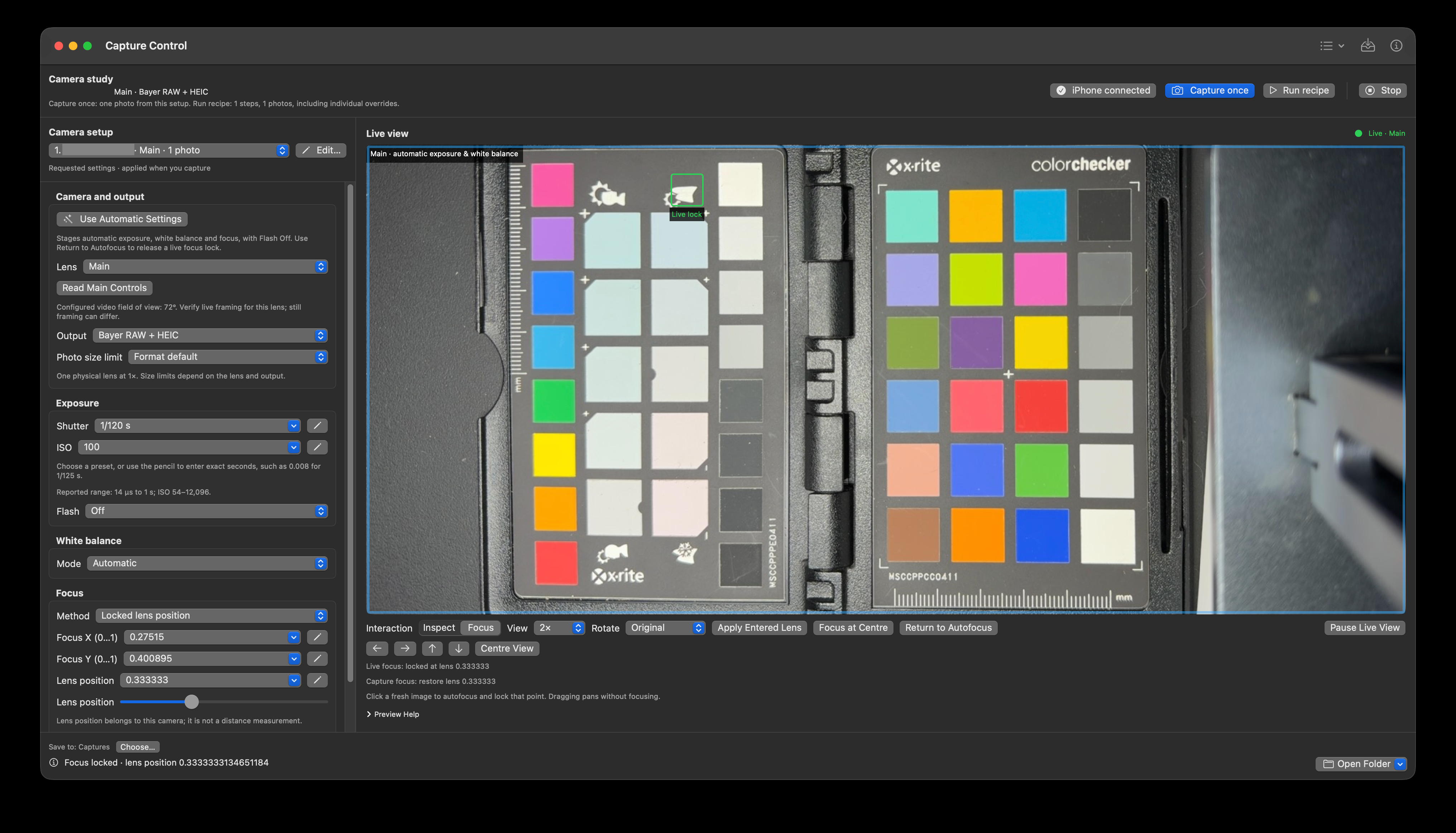
CameraPilot, the iPhone companion, streams live view to the Mac. Frame the scene, place focus and inspect peaking while adjusting the physical lens, shutter, ISO, white balance and focus. Take a photograph from the Mac and open the saved original for a closer look.
Build a sequence once. Repeat it when needed.
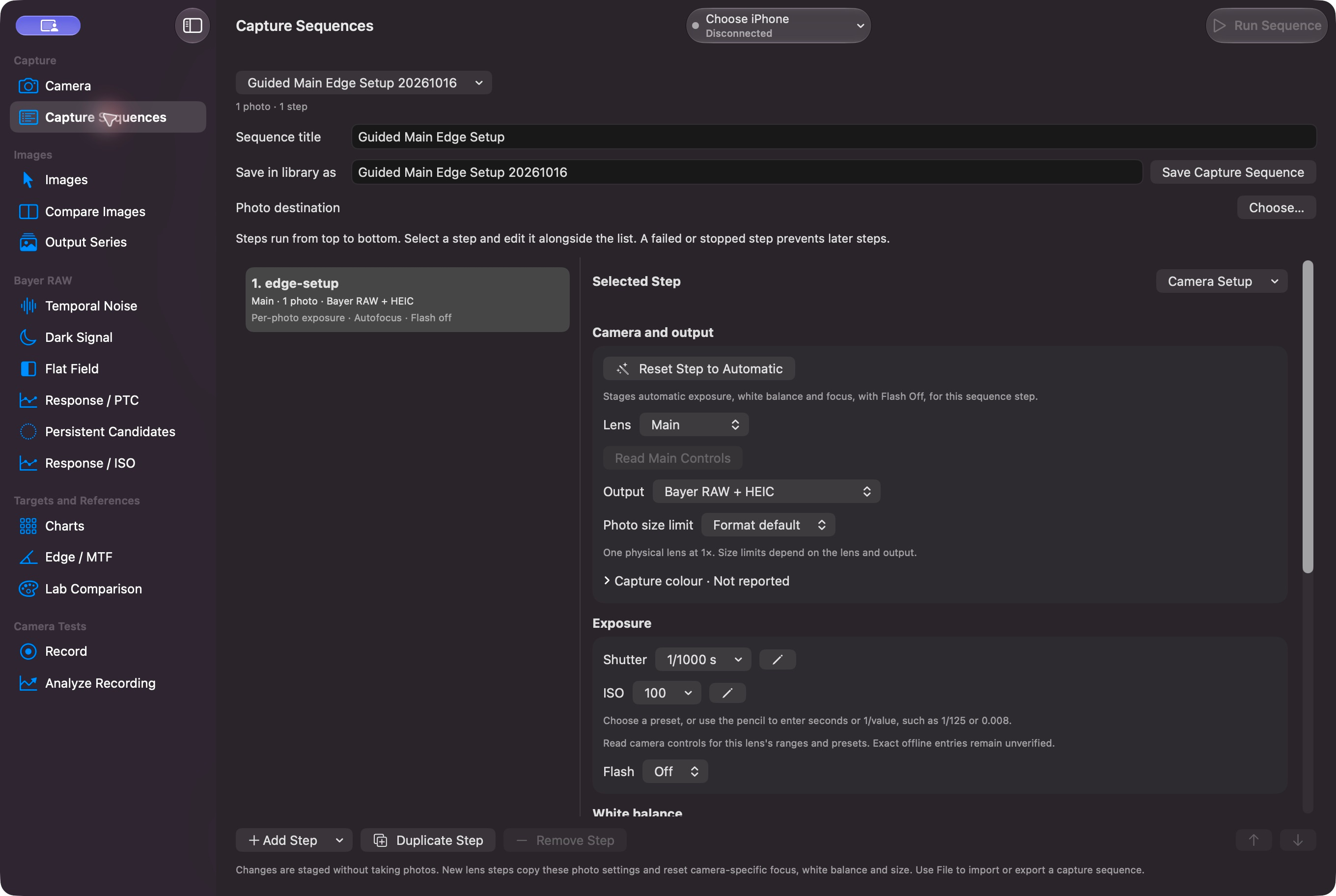
Capture Sequences turn a series of photographs into a reusable plan. Combine different camera setups, per-photo exposures and repeats. Add instructions and pauses for changing the scene, then continue from the Mac. Save and exchange plans for another session.
Prepare Capture connects analysis to acquisition: it prepares a camera setup or sequence for the chosen method, then brings completed originals back to the analysis with its regions and references.
Look closer than the preview
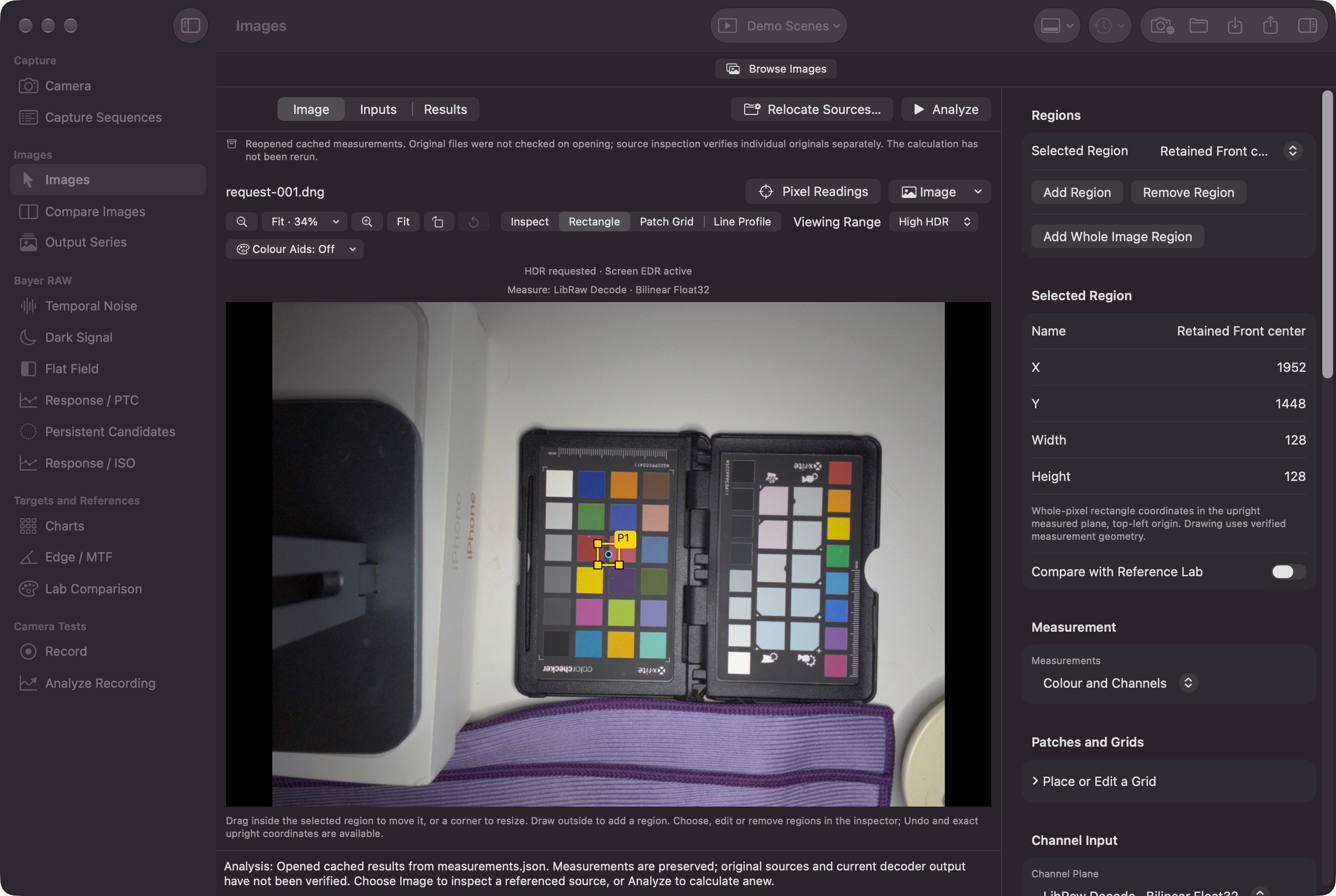
Inspect individual pixels, register readings and draw precise regions. Histograms, channel statistics, line profiles and spatial maps reveal where an image changes, from a single edge to variation across the frame.
Decoded Bayer RAW samples, LinearRAW/Apple ProRAW and developed RGB retain their own measurement meaning. HDR/SDR viewing stays separate from the values being measured.
Put differences side by side
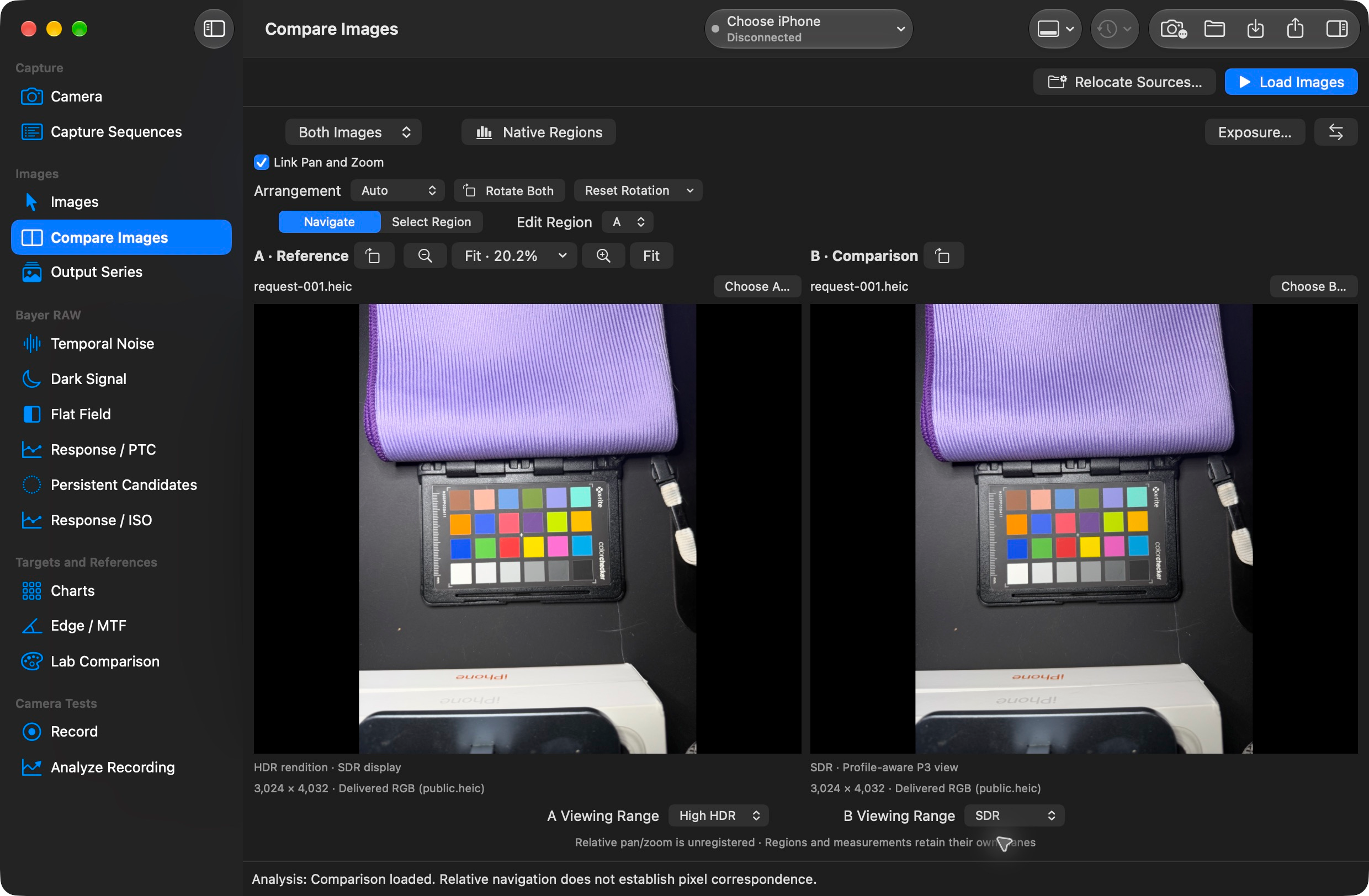
Side by Side, Blink and Wipe make changes easy to find, with linked navigation to keep the same detail in view. Compare photographs or Apple and LibRaw developments of a RAW original. Independent HDR/SDR viewing, numerical differences and regional comparisons connect what you see with what changed.
Explore noise, response, detail and colour
The analysis workspace brings together Bayer RAW noise, dark signal, flat field and response/PTC tools; repeated-output and exposure/ISO analysis; edge/MTF measurements; and Lab colour comparisons. Plots and tables stay connected to the source images and selected regions, so a result can be examined alongside the pixels behind it.
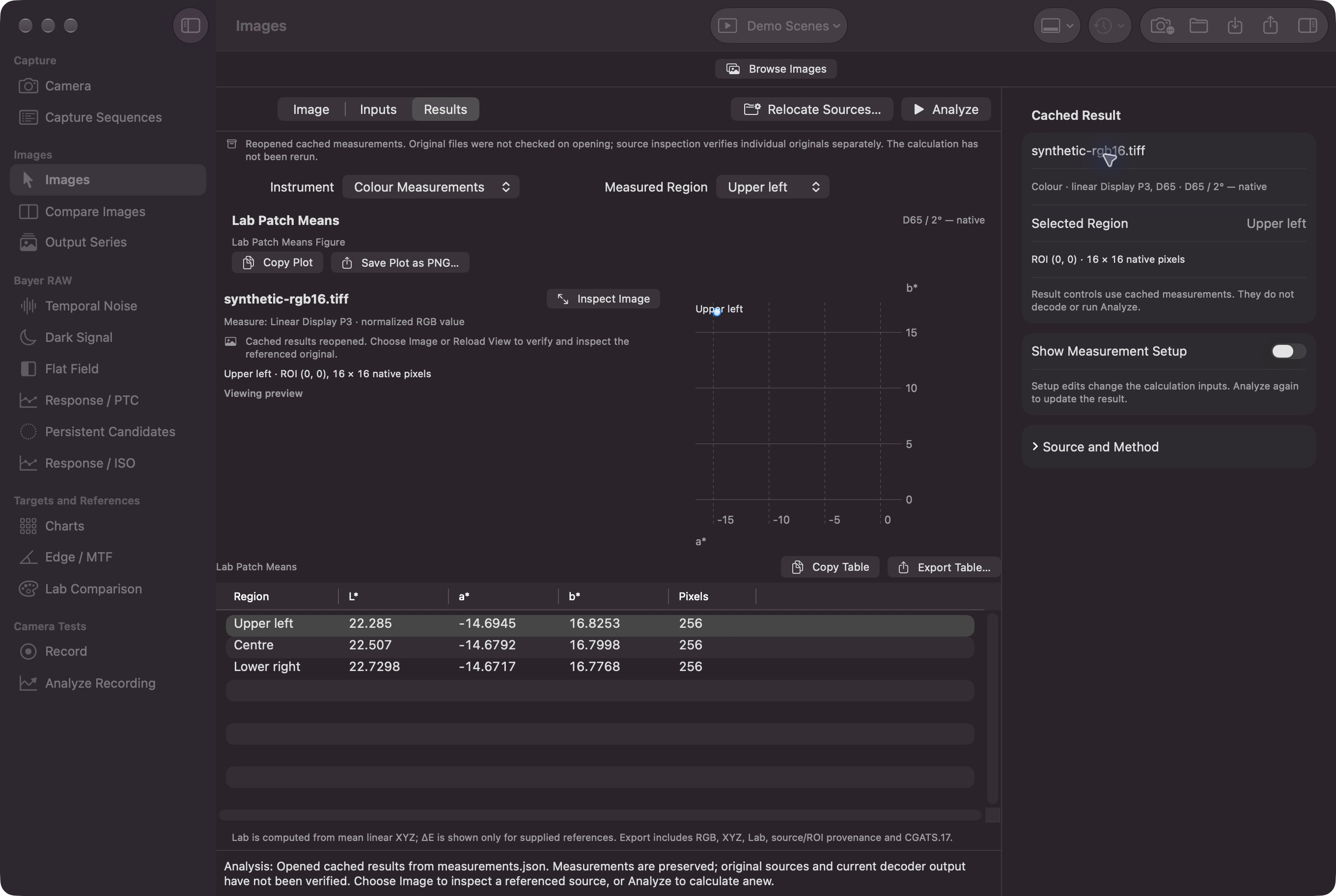
Bring the result with you
Create a readable report with images, plots and tables, export numerical records, or save both together. Copy individual tables and plots, preserve reusable analysis settings and include original files when needed. Saved results can be reopened for review.
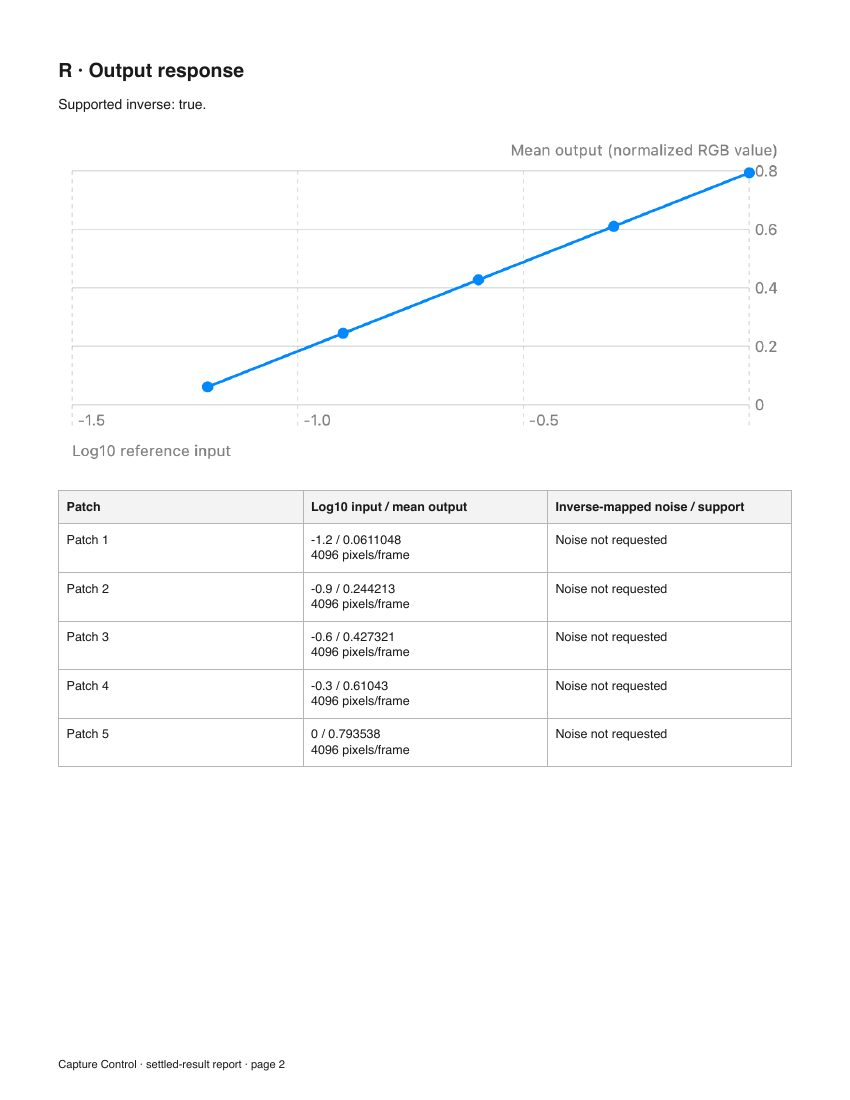
Program a workflow
Create capture plans in the app or import them as JSON. Structured commands let scripts and coding agents inspect application state, prepare sequences, work with saved images and export results through the same app controller. The interface and command workflows share settings and validation.
Built for the Mac
I built the capture, inspection, comparison, analysis and reporting workflows with Swift, SwiftUI, AVFoundation and native C/C++ components. RAW development builds on LibRaw, Apple’s Core Image and Image I/O.
Saved-image work runs locally without a phone or Python. Structured commands and built-in offline guides support repeatable work alongside the interface. Capture Control runs on macOS 14 or later; remote capture uses CameraPilot on iOS 17 or later, with formats and controls supplied by the connected phone and lens.